The info reported on this page are now part of the first draft of the “The Bible of ScanLabs BMS Data Extractor”
HOW TO MAKE THE DONGLE “BMS DATA EXTRACTOR” & CONFIGURE
ScanLabs BMS DATA EXTRACTOR – “The Bible of “
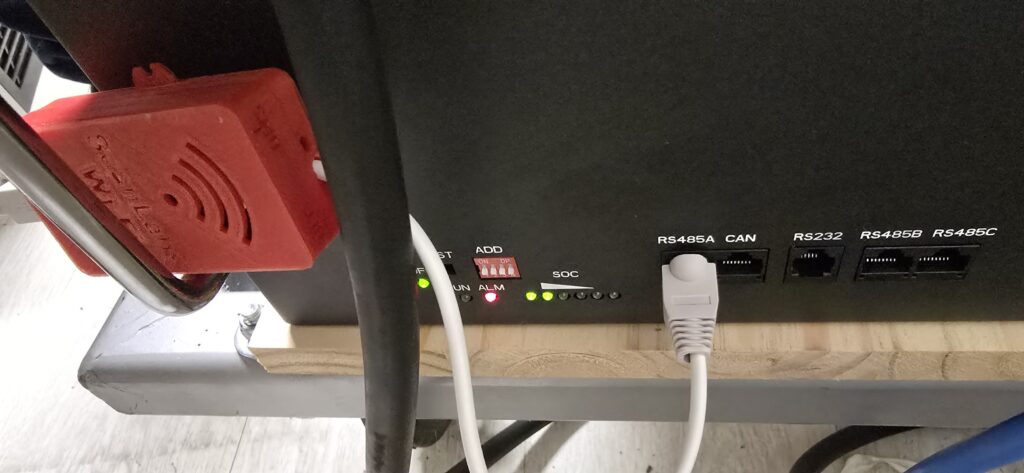
JK-PB1 & JK-PB2 models are supported ONLY via RS485A port ( the closest to the dipswitches , at the left of the CAN connector – see the image below )
UNFORTUNATELY it looks I cannot use RS485B&C because those are meant for internal communication between multiple JK BMS.
NEXT: finally I got a JK-PB2 – working on CAN protocol – as far I can say, we will miss the possibility to manage the MOS … but .. work in progress, so wait please .
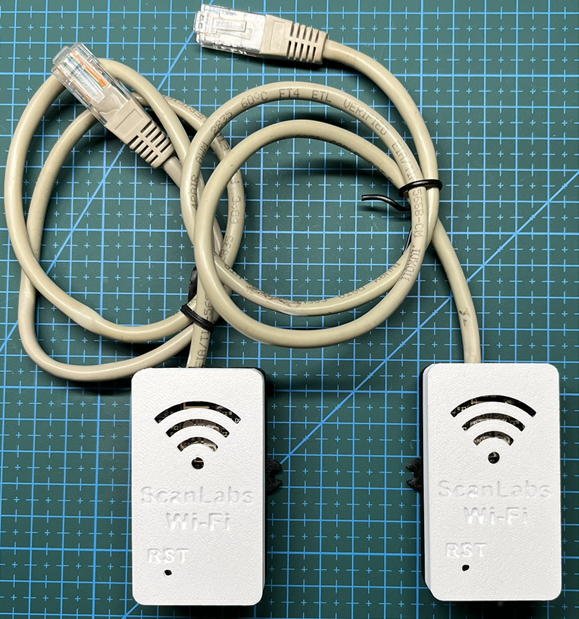
With THIS temporary guide you will be able to build a dongle for JK-PB1 or JK-PB2 dongles – same features as usual – TASMOTA display included .
Rember it works only in RS485A – don’t ask more – only on RS485A
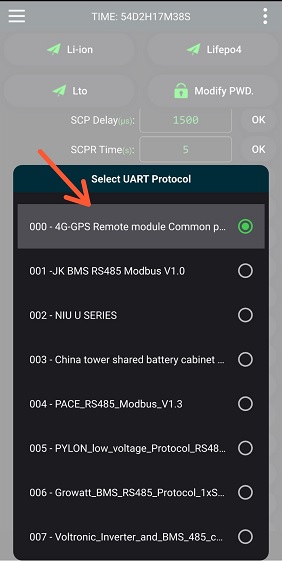
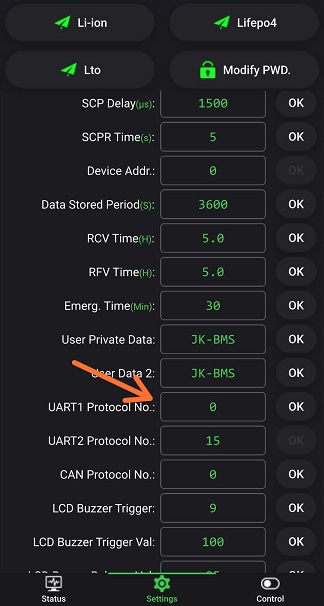
You need some JK BMS settings – apply the following via Bluetooth to be sure to enable the RS485A port to expose the right protocol
BILL OF MATERIAL
1- NODEMCU V3 ( ESP8266 ) – Aliexpress Link –
2- ADUM1201 – Aliexpress Link – **OPTIONAL**
3- RS485 to TLL – Aliexpress Link –
4- An Ethernet Cable to be sacrified
5- Latest ScanLabs SW release
NOTE: Aliexpress Links are SIMPLY a suggestion, don’t ask me if you can buy elsewhere …
PREPARE THE STUFFS

SOLDERING w ISO ( not mandatory id RS485 already provide isolation )

EXAMPLE OF MINI NODEMCU WITH RS485 ONLY ( no ISO )

CONNECTING TO RJ45 – ETHERNET CABLE


we will use ONLY
1 or 8 -> RS485 B
2 or 7 -> RS485 A
3 or 6 -> RS485 GND ( optional and NOT recommended needed only for long ETH cable)
To avoid any trivial question … YES you understood well , RJ45 1 OR 8 goes to B pad on the RS485 converter, RJ45 2 OR 7 goes to A pad and GND …. well .
NOTE: ENABLE PIN is simply a TX/RX switch . IF YOUR RS485 to TTL has a RX/TX swithc feature DO NOT CARE at all of connecting the ENABLE PIN